
myPrivia
Privia Health LLCMedical
4.01.66K Reviews
- Version
- 2.44.0
- Installs
- 100.00K
- Age Rating
- Everyone
Screenshots
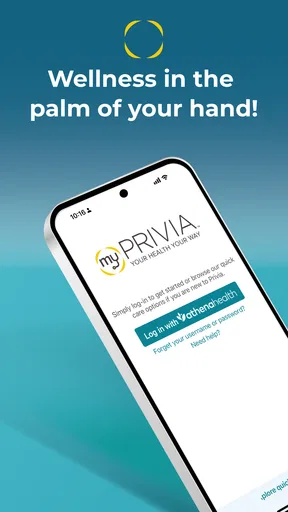
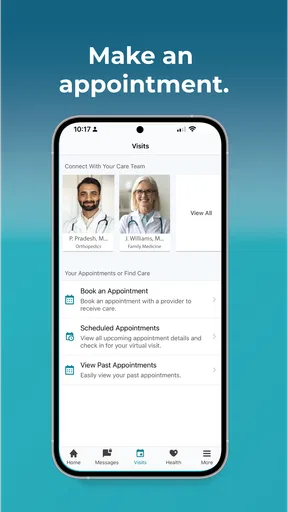
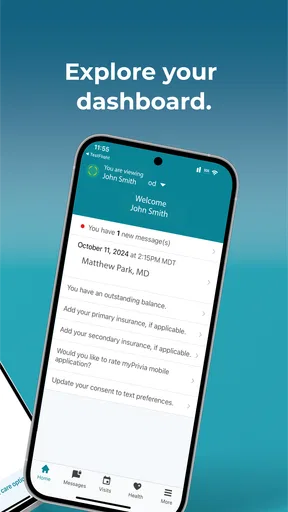
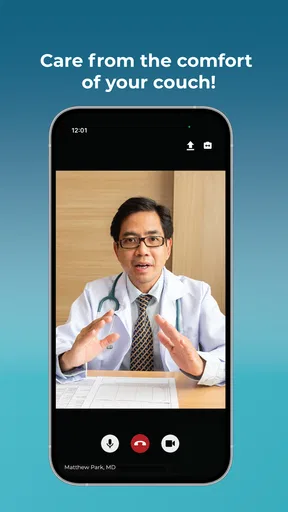
Our Review of myPrivia
 Analysis by Appyee
Managing healthcare often becomes a second job: finding the right office, remembering appointments, checking messages, and keeping track of what needs attention next. myPrivia is designed to make that routine more manageable from a phone. It is a free medical app from Privia Health LLC, and its most useful idea is not that it replaces a doctor or a clinic, but that it gives patients a more direct way to stay connected with their care.
I approached it as a practical patient tool rather than a general health tracker. That distinction matters. This is not the kind of app I would open to count steps, build a meal plan, or browse a large library of wellness articles. Its value is tied to the healthcare relationship around Privia. When that relationship fits your needs, the app can reduce small points of friction that otherwise lead to missed messages, forgotten tasks, or unnecessary phone calls.
Keeping everyday care within easier reach
I find the best way to judge a patient app is to look at what happens between appointments: whether it helps me keep track of a small next step without turning healthcare into another task that demands constant attention. That everyday perspective also makes connectivity important, because a convenient mobile doorway is only useful when it fits the way I actually reach care.
The capability that matters most
The central strength of myPrivia is convenient, personalized access to care-related activity in one mobile space. In practical terms, I see it as a patient-facing companion for handling the ordinary parts of healthcare without treating every question as an emergency or every task as a reason to call the office.
That sounds simple, but the effect can be meaningful. Healthcare is full of short interactions that are individually minor and collectively annoying. A patient may need to check whether an appointment is still on the calendar, look for a response from a care team, or review information connected with an ongoing relationship. A phone-based hub makes those moments easier to fit into the day, especially when the alternative is waiting until office hours and explaining the situation to someone by phone.
I also like the personalized angle because healthcare is rarely one-size-fits-all. The useful information for someone managing a recurring condition is different from what matters to a person arranging a routine visit. An app connected to a patient’s care environment has a better chance of showing relevant actions than a generic medical reference app, although its usefulness naturally depends on how much care you receive through the Privia ecosystem.
There is an important boundary here. myPrivia is a convenience layer, not a substitute for professional judgment. I would not use it to decide whether a serious symptom can wait, interpret a worrying change without medical guidance, or replace urgent services. Its best role is helping with communication and organization around normal care, while clinicians remain responsible for diagnosis and treatment decisions.
What using it feels like in practice
The first useful habit is to treat the app as a place for follow-through, not merely as a digital business card for a medical practice. After opening it, I would focus on the tasks connected to current care: checking for updates, reviewing what needs action, and making sure I have not overlooked a message or appointment-related detail. That approach is more effective than opening the app only when something goes wrong.
For a patient, the main benefit is continuity. Information that is scattered between paper reminders, voicemail, email, and a clinic website is easier to manage when the mobile experience becomes the starting point. I would still keep important personal notes separately, particularly questions I want to ask during a visit, but the app can serve as the place where I confirm what the care team has communicated.
A realistic example would be a weekday morning when I realize I need to verify an upcoming appointment before arranging transportation or time away from work. Instead of calling the office immediately, I can first check the app for the relevant information. If a message is available, I can read it when I have a quiet moment rather than trying to remember details from a rushed phone conversation. That does not eliminate every administrative step, but it can prevent a small uncertainty from becoming a larger scheduling problem.
Another useful workflow is preparing before contacting a clinician. I would review recent communication, write down the question I actually need answered, and gather the details that make the request clear. Even when the app cannot solve the issue instantly, this preparation can make the next interaction more efficient. The hidden advantage is not a flashy feature; it is the reduction of back-and-forth caused by incomplete questions or forgotten context.
My practical tip is to check it at predictable moments rather than constantly. A quick review after a visit, before an appointment, and when a health-related task comes to mind is more sustainable than relying on memory. This is especially helpful for people who care for a family member and need a repeatable routine, although the patient account and the information available to it should always be treated as personal and sensitive.
Where the app fits better than usual alternatives
The usual alternative is often a phone call, a clinic website, or a collection of reminders in a calendar app. Each has a place, but none is ideal for every situation. A phone call is useful when the matter is complicated or urgent during office hours, yet it can be inconvenient for a simple confirmation. A calendar is excellent for remembering a time, but it does not provide the surrounding healthcare context. A generic health app may offer broad education, but it usually is not tied to the patient’s own care relationship.
myPrivia sits between those options. It is more connected to care than a general organizer and less dependent on live staff availability than a phone call. That makes it particularly appealing for routine communication and preparation. I would not choose it instead of a direct conversation when I need nuanced advice, but I would prefer it for the administrative steps that do not require a long discussion.
The trade-off is equally clear: a connected patient app is most valuable when your providers and care arrangements are represented inside it. Someone who receives most care outside Privia may find a general health organizer more useful as a single overview. Likewise, a person who rarely interacts with healthcare may not gain enough from installing a dedicated medical app to justify adding another account and another place to check.
The best everyday scenario
The strongest scenario is ongoing outpatient care where several small interactions happen between visits. Imagine someone managing a recurring health concern while balancing work, family responsibilities, and transportation. The person does not need a medical encyclopedia every morning. They need a dependable way to stay aware of care-related updates and prepare for the next step.
In that situation, I would use myPrivia as a simple three-part routine. First, I would check for new communication after a visit or whenever I am expecting follow-up. Second, I would review the next appointment before the week becomes crowded. Third, I would note questions early so I am not trying to reconstruct them in the waiting room. This workflow turns the app into a small piece of personal organization, rather than another source of notifications that I ignore.
It can also help when a patient feels uncomfortable making a call for something that seems too minor to interrupt the office. Digital access lowers that psychological barrier. A person may be more willing to review information or send a concise request when they can do it privately and at a convenient time. That is not a replacement for human care, but it can make patients more likely to keep up with the care they already need.
For caregivers, the value is more conditional. The app may help the person who is officially managing their own care stay organized, but I would not assume that it automatically solves access or coordination for another adult. Caregiving often involves consent, separate accounts, and clear boundaries. The right approach is to use only the access arrangements the healthcare provider supports and avoid sharing credentials casually.
Trade-offs that affect the experience
The biggest limitation is that convenience does not guarantee immediate resolution. A mobile app can make information easier to reach, but it cannot make a clinician available at every moment or turn a complicated medical concern into a quick form. If I needed detailed guidance, had symptoms that were worsening, or faced a time-sensitive problem, I would use the appropriate direct medical channel instead of waiting for an in-app response.
There is also a mental burden that comes with adding one more healthcare destination. Patients may already use a pharmacy app, an insurance portal, a hospital system, and a personal calendar. myPrivia can be helpful when it reduces that fragmentation, but it can feel like another obligation when the relevant care is spread across unrelated organizations. Before committing to it as a daily tool, I would ask whether my main providers actually use the Privia connection that gives the app its purpose.
Privacy deserves practical attention even without turning the review into a technical audit. This is a medical app, so I would use a device lock, avoid leaving sensitive screens visible in public, and be careful with shared phones. I would also sign out or secure the device appropriately if someone else regularly handles it. These habits are not unique to myPrivia, but they matter more here than they would with an ordinary shopping or weather app.
Another trade-off is the difference between digital convenience and accessibility. Some people may find mobile communication easier than calling, while others prefer speaking with staff or need assistance navigating an app. A family member can help with the device, but the patient should remain in control of personal healthcare information. If using a phone makes care more confusing rather than simpler, the traditional office route may be the better choice.
The app’s public reception suggests that many users find value in it, with an average rating of around four out of five from roughly three thousand seven hundred ratings. It has also passed the hundred-thousand-install mark, which indicates that it is not an obscure experiment. I would read those figures as signs of established interest, not as proof that every patient will have the same experience. Healthcare apps are unusually dependent on the quality of the connected provider workflow.
Who gains the most from it
myPrivia is best suited to patients who already receive care through Privia Health and want a more convenient way to manage ordinary interactions around that care. It is especially sensible for people who dislike phone queues, tend to forget follow-up details, or want to review healthcare information on their own schedule. The free price removes an obvious barrier, and the Everyone age rating makes it broadly approachable as a patient tool.
I can also see a strong fit for people who are comfortable with smartphones but do not want a complicated personal health system. The app’s appeal is not in asking users to build a detailed database of their lives. It is in putting relevant care activity closer at hand. That narrower purpose can be a benefit for someone who wants less setup and fewer manual entries.
I would be more cautious about recommending it to someone whose care is divided among many unrelated systems, someone who needs extensive specialist coordination across different networks, or someone looking for symptom diagnosis and broad health education. In those cases, a provider-specific portal, an insurance platform, a general medical reference, or direct professional support may be a better primary resource. The right choice depends on whether convenience around Privia care is the actual problem to solve.
The app has been available since April 2018 and is currently listed as version 2.44.0, with support beginning at Android 7.0. That gives it a reasonably long presence as a mobile healthcare option, while the operating-system requirement is still relevant for people using older devices. I would check compatibility before planning around it, particularly if the phone has not been updated in years.
My recommendation after using it as a patient tool
I recommend myPrivia when your healthcare relationship already lines up with Privia and your main goal is easier day-to-day follow-through. Its strongest contribution is modest but useful: it can make routine care communication feel less dependent on memory, paper, and phone calls. For many patients, that is exactly the kind of improvement that makes healthcare feel more manageable.
I would not install it expecting a complete personal health command center or an instant answer to every medical concern. Its success depends on using it for the right job: staying connected to care, checking relevant information, and preparing for interactions with clinicians. When I keep that boundary in mind, the app feels focused rather than limited.
Overall, this is a sensible free medical app for the people it is built to serve. Privia Health LLC has made the experience approachable enough for everyday use, while the personalized connection gives it an advantage over generic health organizers. The deciding question is simple: will the care you actually receive be easier to manage through a Privia-connected mobile experience? If the answer is yes, myPrivia is worth trying; if not, a broader health portal or direct contact with your providers will probably serve you better.
Verdict
Strengths of myPrivia
- Secure access to appointments, messages, and health records in one place.
- Prescription and care information is easy to review from a mobile device.
- Helps reduce phone calls for routine administrative healthcare tasks.
- Supports communication with participating Privia Health providers.
- Useful reminders can help patients stay organized with their care.
Limitations of myPrivia
- Features depend on whether your healthcare provider participates in Privia.
- Some actions may require identity verification or additional account setup.
- Appointment availability varies by provider and location.
- The app may feel limited if you only need occasional healthcare access.
- Notifications and messages require regular checking to avoid missing updates.
Similar Picks in This Category
View All
WebMD: Symptom Checker
WebMD, LLC4.1

Microphone Amplifier
DOSA Apps4.2

Anatomy Learning - 3D Anatomy
3D Medical OU4.5

Period Tracker and Calendar
SimpleInnovation4.9

GoodRx: Prescription Coupons
GoodRx4.8

CVS Health
CVS Pharmacy4.5
Frequently Asked Questions
What is myPrivia, and what can I use it for?
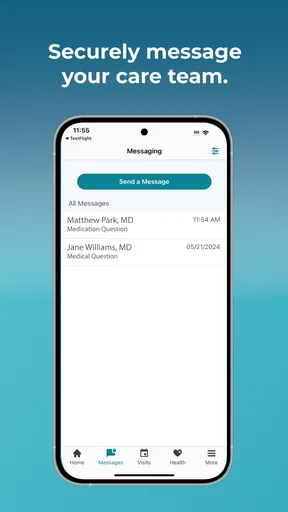
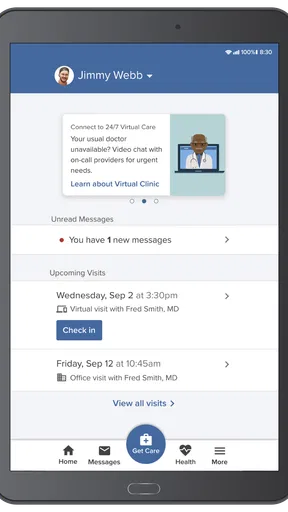
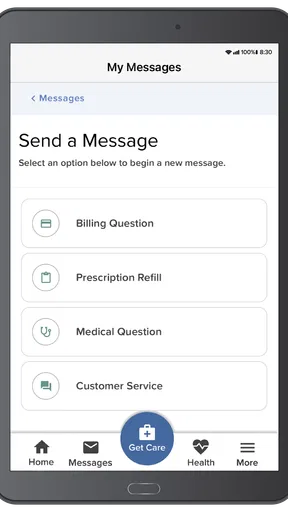
myPrivia is a healthcare app designed to help Privia Health patients manage parts of their care from a mobile device. Depending on your participating practice and available services, you may be able to view appointments, communicate with your care team, review health information, request prescription refills, access documents, and manage certain account details. Features can vary by provider, location, and patient eligibility.
How do I sign in to myPrivia or create an account?
To use myPrivia, you generally need to be an established patient with a participating Privia Health practice. Sign-in may require your existing patient portal credentials, while new users may need an activation link, invitation, or identity verification process provided by their doctor’s office. If registration fails or your information is not recognized, contact the practice directly rather than creating multiple accounts.
Can I schedule appointments and message my doctor through myPrivia?
In many participating practices, myPrivia allows patients to request or manage appointments and send secure messages to members of their healthcare team. Availability depends on the provider’s settings, appointment type, and your relationship with the practice. Messages are intended for routine, non-urgent communication and may not receive an immediate response, so urgent medical concerns should be handled through appropriate emergency or clinical services.
Can myPrivia be used to view test results, prescriptions, and medical records?
myPrivia may provide access to selected health information, such as laboratory results, visit summaries, medications, immunizations, care instructions, and clinical documents. The information shown depends on what your provider releases and which systems are connected to your account. Results may appear after review or processing, and the app should not be considered a complete replacement for discussing medical findings with your healthcare professional.
Is myPrivia free, and is my personal health information secure?
The myPrivia app is typically available to eligible patients without a separate app purchase, although normal mobile data or internet charges may apply. Because it handles sensitive health information, access is protected through account credentials and security measures used by the service. For better protection, use a strong password, enable device security, avoid public Wi-Fi when possible, and always sign out on shared devices.
